
26 August 2026 | By James Thomas
Four challenges every organisation must solve to adopt AI safely
Discover four key challenges affecting AI adoption and how organisations can build confidence in their approach.
Read more
By Jesse Brett | 22 May 2026
Most people use Copilot, and similar tools, by asking one question or prompt at a time. “Draft an email”, “summarise this document”, “build a chart”. These are useful for simple tasks, but most daily work involves multiple steps, which rarely fit into a single prompt.
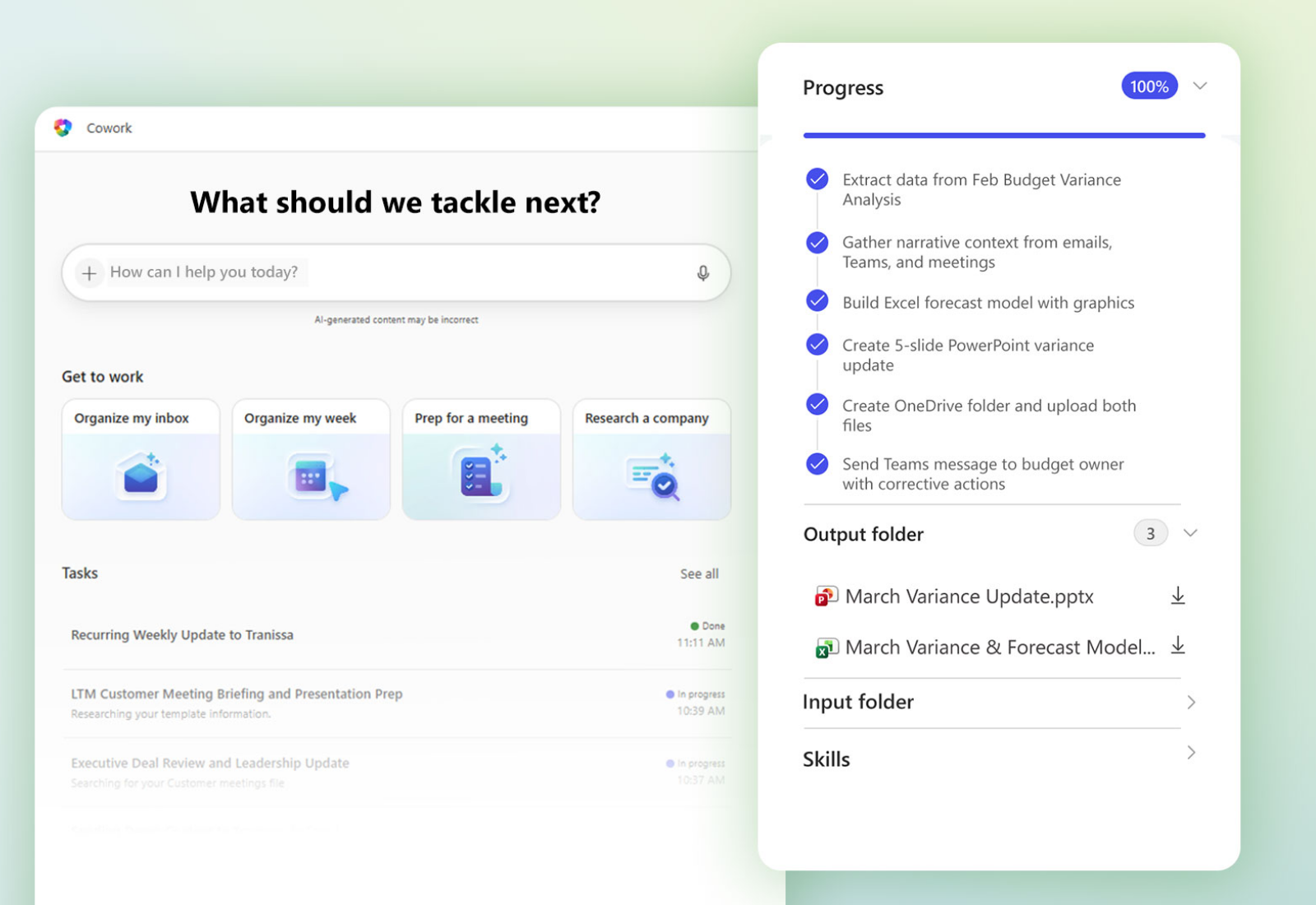
Copilot Cowork is designed for more complex, multi‑step work that spans multiple apps. For example, preparing for a customer meeting often means pulling together emails, calendar entries, files and Teams conversations, while creating a board pack touches multiple systems, templates and data sources. Until now, coordinating all of that has sat firmly with the user.
Copilot Cowork is built to work more like a colleague than a command line:
1. You describe the outcome you need, a bit like briefing a colleague
2. Cowork will then break it into a step-by-step plan
3. It gathers the information, then carries out the work in the background
4. You receive a completed result, not just content
A few examples include:
• Calendar clean up. Cowork reviews your week, flags any low priority meetings, drafts decline messages and blocks out focus time, with you being able to approve each change.
• Meeting prep. From a single outcome-based instruction, Cowork pulls recent emails and Teams threads with a customer, reads the last meeting notes, builds a briefing document and adds prep time to your calendar.
• Company research. Deep Research combines public sources with internal context from email and SharePoint, returning a detailed summary, a memo and a workbook.
This is where it becomes more useful. You can create custom skills using simple Markdown files stored in OneDrive. These files guide Cowork on how your organisation handles specific tasks, such as tender responses, weekly reports or monthly client updates. No coding is required, and Cowork automatically recognises and applies them.
This layer helps turn Cowork from a general assistant into something that reflects how your business actually works, using your structure, formats and preferred approach.
Copilot Cowork can also run on a schedule, taking care of routine work without needing a prompt each time. You might set up a daily briefing that summarises overnight emails alongside the day’s meetings, a morning inbox triage to prioritise what needs attention, or a Friday wrap-up email ready to send to your manager.
These prompts are set up once and continue running in the background until you choose to pause or adjust them, helping reduce manual effort and keep work moving consistently.
Copilot Cowork is currently in preview through Microsoft’s Frontier early access programme, so features are still evolving. Key considerations include:
• Licensing. An active Microsoft 365 Copilot licence is required.
• Anthropic as a sub processor. Cowork uses Anthropic’s Claude for more complex reasoning. Anthropic operates under Microsoft’s existing data protection terms, but it is a change to your sub processor list, so it is worth flagging with whoever manages that.
• Data residency. Cowork is off by default for UK, EU and EFTA tenants and needs admin opt in. If you have restrictions on processing locations, check this before enabling.
• Existing controls carry over. Cowork respects user permissions, sensitivity labels and DLP policies. It does not introduce new governance risks, but it may surface existing gaps more quickly than single-prompt Copilot
Copilot Cowork takes the effort out of coordinating work. It manages multi-step tasks across email, meetings and files, then delivers a finished result for you. For organisations, it means two things: longer workflows move without manual effort, and custom skills ensure outputs follow your format, structure and way of working every time.
If you would like help assessing whether Copilot Cowork is the right fit for your organisation or getting your Microsoft 365 environment ready to support it, get in touch with our team of experts today.
26 August 2026 | By James Thomas
Discover four key challenges affecting AI adoption and how organisations can build confidence in their approach.
Read more
20 August 2026 | By Sally Bailey
Sustainable AI goes beyond energy use. Efficient infrastructure, smarter data and the right use cases can help businesses cut costs, reduce wasted resources and gain real competitive advantage.
Read more
6 August 2026 | By Chris Thomas
Discover why more IT leaders are reviewing their business connectivity strategy and whether a 10Gbps bearer is the right next step.
Read more